

01
Pick up where you left off
Save the settings you last kept and choose to restore them when the app starts.
Even on displays without HiDPI options.
Choose a comfortable display size from your menu bar.
Easily adjust resolution.
Download free for MacApple Silicon (M1+) · macOS Ventura (13) or later
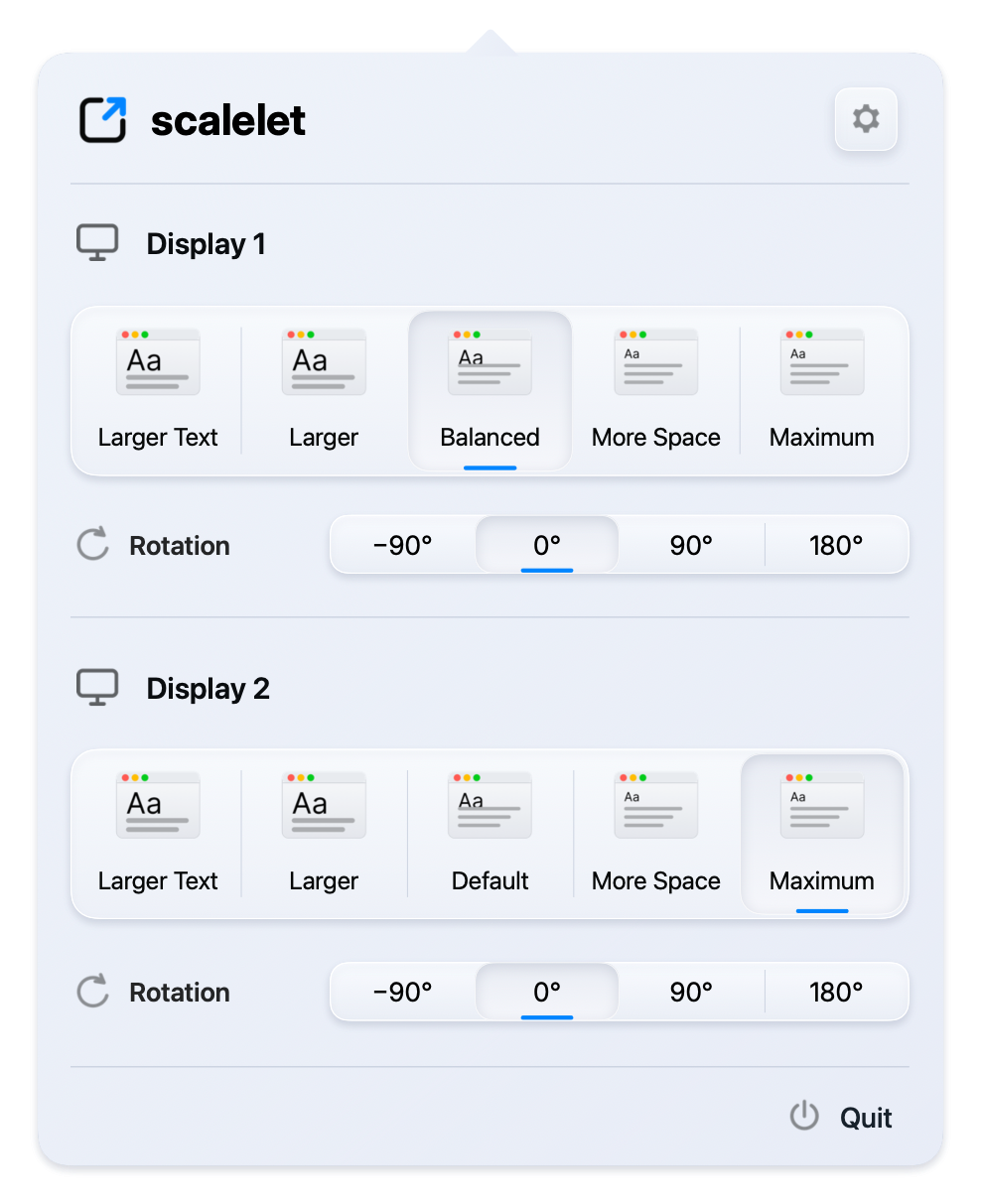
Display size
Scalelet adds scaling choices even when macOS offers no HiDPI options for your display, so you can make text larger or fit more into your workspace. Set each connected display to the size that suits you.
Display rotation
Rotate supported external displays to suit the way you work.
01
Save the settings you last kept and choose to restore them when the app starts.
02
App settings include automatic update checks, automatic installation, and language selection. Korean, English, Japanese, Simplified Chinese, and Traditional Chinese are supported.
Open the app. Choose a display. Check the result.
Open the DMG, drag Scalelet into Applications, then open it.
Open Scalelet in the menu bar and choose a display size or orientation.
Review the changed display and keep the settings if they work for you.
Scalelet targets Apple Silicon Macs running macOS Ventura (13) or later. Available sizes and rotation support depend on your display and connection.
App settings include automatic update checks, automatic installation, and language selection. Korean, English, Japanese, Simplified Chinese, and Traditional Chinese are supported.

Every feature. Free, with no expiry date.
Download free for MacVersion 1.0.98
Apple Silicon (M1+) · macOS Ventura (13) or later
Every Scalelet feature is free.
Enjoying the app? Support its development with a coffee.

All features are free; choose your contribution and pay through
Buy Me a Coffee.